
This page is just for testing redirects to Training
On this page you'll learn:
GetSet begins with a short "Orientation" where students:
- Learn about growth mindset through examples and a video.
- Read stories from their classmates and post their own.
- Discover how to use GetSet as a scholastic resource outside of the classroom.
After completing GetSet's Orientation:
- Students will have full access to GetSet, where they can complete assigned exercises; browse their classmates' posts; and share advice, questions, and motivation with their fellow ASU students.
- Students can search posts or explore popular tags, like “time management,” “stress,” and “exams.”
- Students can also continue to write free form posts on GetSet, even outside of the classroom.
Check out a demo of the student experience here. Please note: this is a demo account only and does not contain realistic data.
Download a PDF of these instructions to give your students.
1. Click the GetSet link in your Blackboard course. You will be automatically logged in to GetSet.
2. Complete GetSet's Orientation.
3. After finishing Orientation, a few short tutorials will show you how to use the main features of GetSet, like browsing classmates' posts.
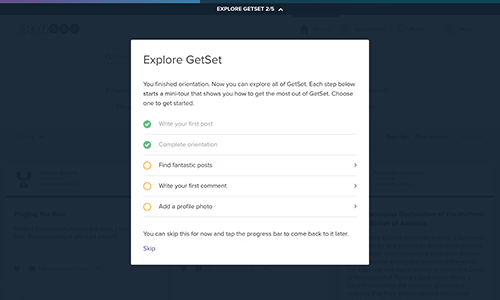
4. To complete the exercises assigned by your instructor, click the "Assignments" icon in the main navigation:

Click “Respond” to bring up the full exercise:
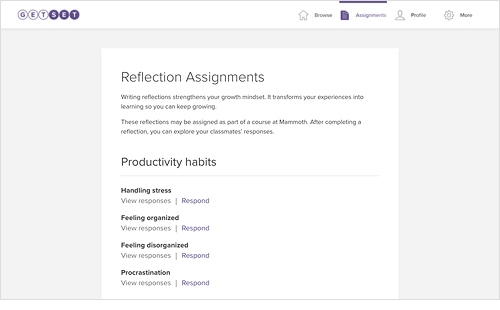
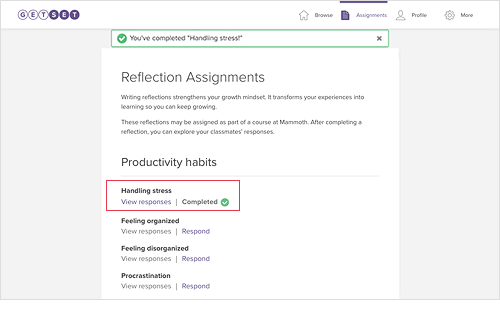
Completed exercises will be marked as “Completed".

5. You can return to GetSet any time via the link in your Blackboard course. You can also log in at asu.getset.com or download GetSet for iOS or Android.